
Inferno Protocol Controls
Keyboard, mouse, and pads — remap in settings, then treat QTEs as survival, not flavor.
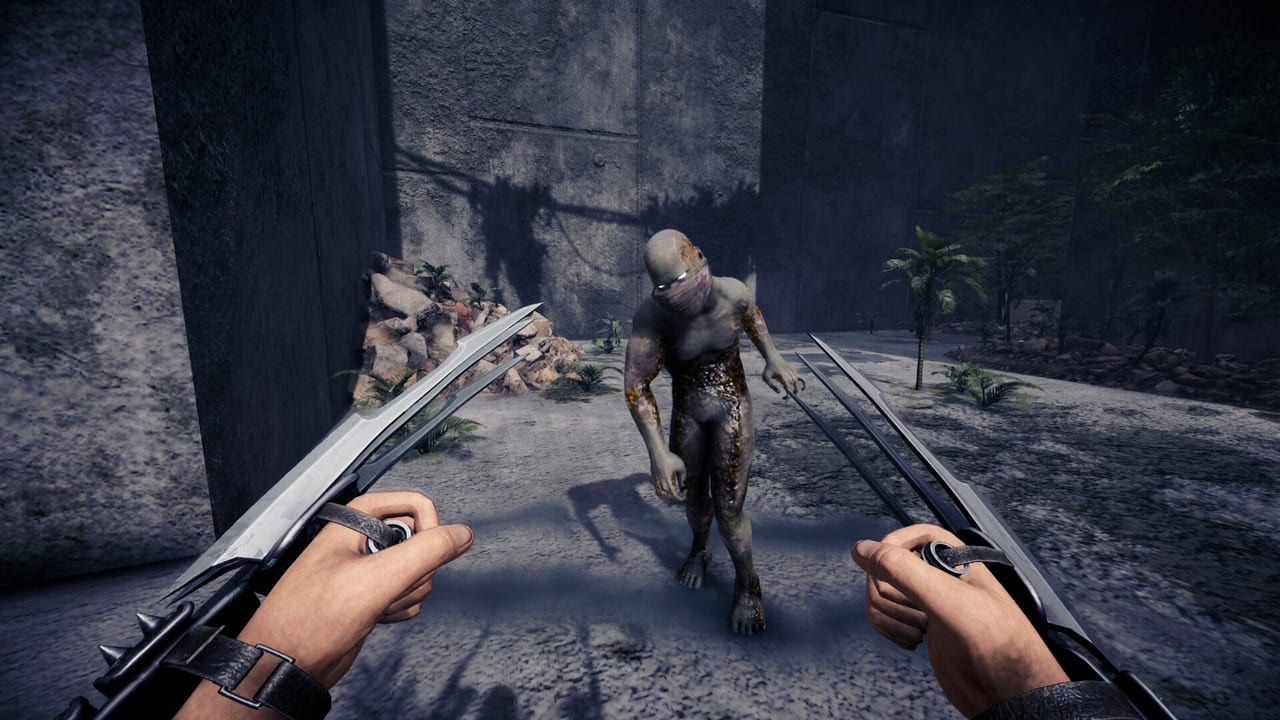
Inferno Protocol is a first-person game with full controller support. Steam lists keyboard and mouse, Xbox controllers, DualShock over USB, and DualSense over USB. Camera comfort, custom volume, stereo sound, and save-anytime are also in the store feature list. This page does not invent a complete key table Tektonic has not published. It tells you what the patches confirm, what a first-person survivor should expect, and which menus you must open before a Giant Rat grab becomes a panic mash.
Open settings on first boot. Scroll sensitivity was added as its own option. Screen type (windowed / fullscreen variants) can be changed from graphics settings after a demo fix. Ultrawide 21:9 and wider is supported. Auto graphics detection turns low-end GPUs down so auto-exposure does not white out the maze. None of that is a bind, but all of it changes whether WASD or a stick feels usable.
Keyboard and mouse — expected FPS layout
Until you open the in-game mapper, assume a standard first-person layout: movement on WASD, look on the mouse, jump, crouch, sprint, interact, reload, and a dedicated inventory key. That is the genre default, not a leaked Tektonic PDF. Remap immediately if you use inverted look, a left-handed mouse, or a non-QWERTY keyboard. The maze already lies; your hands should not.
Patch notes call out several keys by job if not by letter:
- Inventory. Organizing items while holding the emote key used to move your character. That is fixed. Still, do not emote while sorting brass knuckles next to a sleeping Giant Rat.
- Quick item use. You can use items directly from the inventory screen instead of equipping them in a ritual.
- Quick merging. Double-click stacks of the same type to merge. This is a mouse-centric action; on a pad, look for the prompt the UI localizes.
- Crafting from chests. You can craft using items still sitting in chests and stashes. You do not have to dump a backpack onto the dirt first.
- Building placement. Placed objects now show facing direction. Rotate before you confirm a wall or you will pent yourself into a Junkyard alcove.
If a bind is missing from this list, it is because we will not guess it. Open the settings mapper, screenshot your layout, and keep that screenshot in the same folder as your maze navigation notes.
Controller support is real, with USB caveats
Full controller support means you can play a session without touching the keyboard, including menus and QTEs. DualShock and DualSense are listed as USB only — wireless dongles and Bluetooth are not promised. Xbox controllers are listed without that USB note. If you are on a PlayStation pad, plug in.
Gamepad-specific fixes from the demo window:
- Bed system: the gamepad cancel button now actually cancels.
- QTE UI: gamepad buttons display correctly and the prompts are localized.
- Building and crafting UIs gained a name filter, which matters when you are searching recipes with a stick.
Camera comfort is an accessibility toggle. If FPS bob or maze rotation makes you sick, turn it on before the first Jungle layer. Custom volume sliders exist because proximity voice, creature audio, and walkie-talkie hiss compete; you want footsteps louder than Discord-in-the-OS, and you want creature tells louder than your friend’s cooking jokes.
QTEs, grabs, and why the prompt matters
The Giant Rat can chase, attack, grab, and roam. A grab is not a cutscene you skip. It is a QTE. The July 2026 content update rebuilt QTE icons for pads and localization. If you fail it, you are held. Squad mates should hit the creature, not spray your body with a shotgun. Bind the confirm / mash keys so they are not the same as sprint, or you will dodge yourself into a second grab.
Melee now has weight: hitstop, a short FOV punch on connecting hits, heavier hits on charged swings, swing trails, and impact shockwaves on some weapons. Locational reactions mean a headshot and a body shot do not look the same, and a hit from behind plays a different flinch than a hit from the front. Stagger mid-swing cancels the zombie’s damage. That is a timing skill. Practice it in Junkyard before you take dual blades into a camp that might shoot first. More context is in combat.
Voice, walkie-talkie, and the emote key
Proximity chat is a mechanic. Enemies can hear you. A dedicated patch added microphone selection and fixed walkie-talkie issues. Do not bind push-to-talk to the same key as interact. Do not leave open mic on while you eat. The co-op guide is the full argument; the control implication is simple: give voice its own button, give the walkie its own button, and keep emote away from both.
Text chat exists with join / disconnect system messages. Input is blocked during an active QTE, which is intentional — you should not be typing “lol rat” while the grab prompt is up.
First-session control checklist
- Launch, open settings, set screen type and a graphics preset your GPU can hold. See settings.
- Remap look inversion, sprint, interact, inventory, and push-to-talk.
- Select the correct microphone for proximity chat.
- If you use a PlayStation pad, confirm USB.
- Drop into the Prologue from the getting started path and test melee light / heavy, inventory merge, and a bed cancel.
- Only then host a six-player lobby.
The maze will still shift. At least your hands will not.
Frequently Asked Questions
Quick answers for Inferno Protocol survivors.
Does Inferno Protocol support controllers?
Yes. Steam lists full controller support, Xbox pads, and DualShock / DualSense over USB. Remap in settings and test the bed cancel and QTE prompts before a grab.
What are the default keyboard binds?
Tektonic has not published a public default table. Expect a standard FPS layout and confirm every critical action in the in-game mapper. This wiki will not invent key letters.
Why did I move while sorting inventory?
A demo bug fired movement when the emote key was held during inventory. That is patched. If it returns, check patch notes and avoid emoting in menus.
Can I play Inferno Protocol with only a mouse?
You should not. Movement, voice, and QTEs need a keyboard or a pad. Full controller support exists if you want to put the keyboard away.